Mug TypographyDissect text, animate every part
An OFX plugin for DaVinci Resolve Take full control of text design and animation
An OFX plugin for DaVinci Resolve Take full control of text design and animation
TEXT DISSECTION
Splits text not just into individual characters, but all the way down to the dots, diacritics, and kanji components that make up each glyph. Control position, color, and motion for every single part.
INTERACTIVE CONTROLS
Drag text position, pivot, rotation, scale and more right in the DaVinci Resolve Viewer. Refine your design intuitively, without hunting through inspector parameters.
AUTO ALIGNMENT
As characters scale and rotate, their positions are recalculated and realigned automatically. No more nudging characters into place one by one.
COPY & PASTE
Copy fill colors, strokes, keyframes, and other settings from one character or part and paste them onto another in one click. Ideal when applying a consistent look across multiple letters.
STAGGERED ANIMATION
Create an animation on one character, then propagate it across characters or parts with an automatic time offset. Set a Frame Offset to build cascading, follower-style motion without recreating keyframes for every target.
GRADIENT
Colors are interpolated in perceptually uniform color spaces, producing smooth, vivid gradients free of muddy midtones. Beautiful color transitions with no tedious tweaking.
FILL MATERIAL NEW
Water droplets, glitter, stained glass. Layer a built-in material over the fill and the letters take on a surface - one that builds on the color you chose rather than replacing it.
WRITE ON
Reveal text in whatever order you like - down to individual parts. Handwriting-style write-on animations take nothing more than a couple of keyframes.

3D TYPOGRAPHY
Control depth across the entire text, per character, and even per part. Create text with true perspective.
DEFORM
A collection of unique animations that deform the character outlines themselves. Tick a checkbox and they come alive - with parameters to fine-tune every detail.
MORPHING
Smoothly transform one string into another. Keyframe the Progress value and you have full control over speed and timing.
LUA SCRIPTING
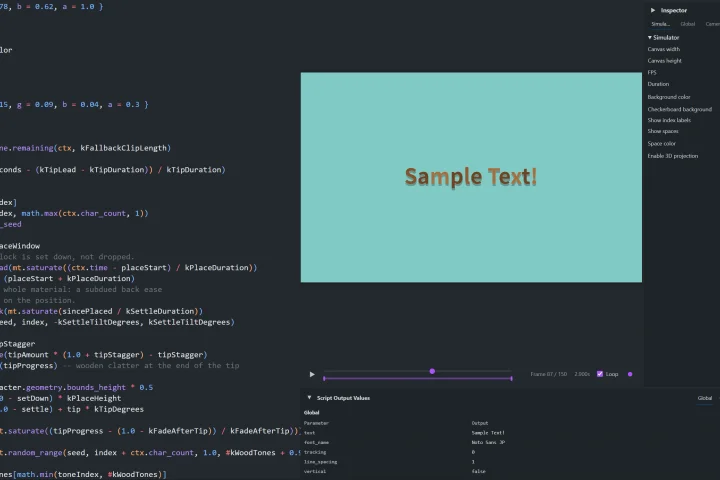
Build waves, random scatter, and other hard-to-keyframe animations with just a few lines of Lua. The bundled VSCode extension lets you develop and preview without launching DaVinci Resolve.
MUG TYPOGRAPHY MCP
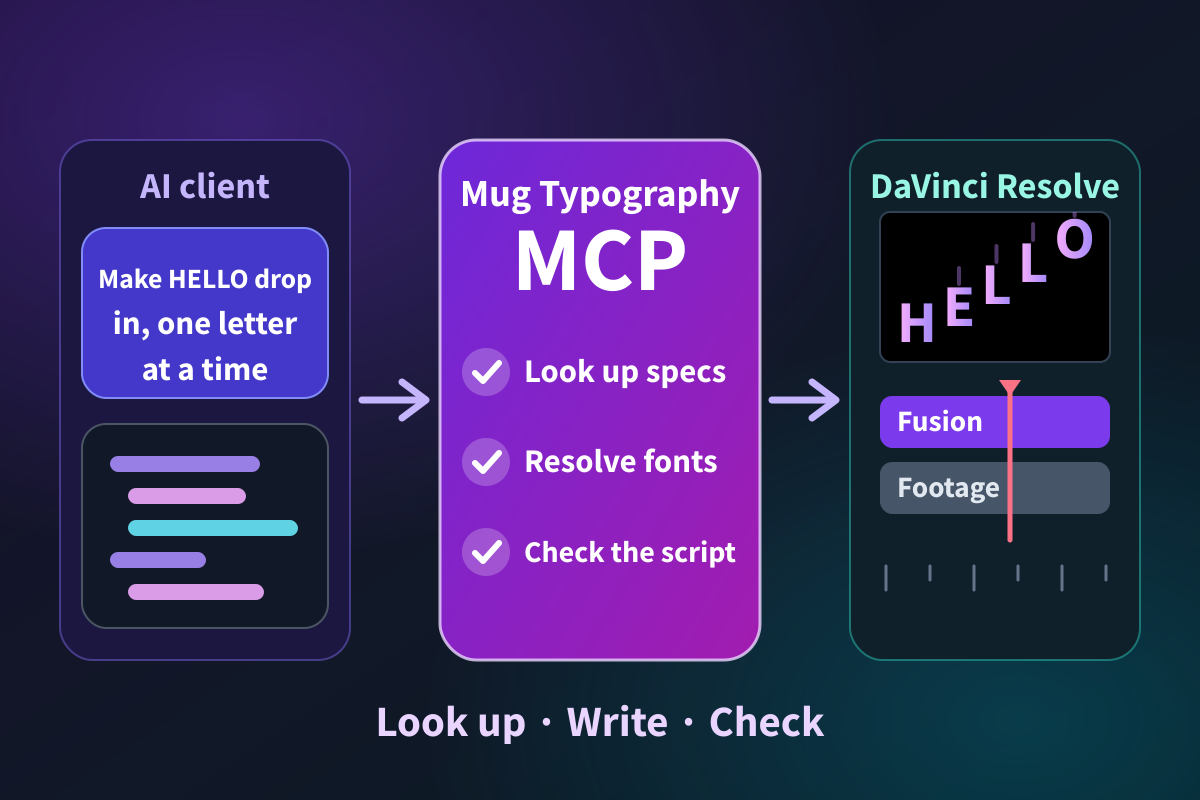
AI clients such as Claude and Codex look up Mug Typography's features and Lua scripting API themselves, and check that the script they wrote works. No pasting the reference, no fixing code that does not run.
Mug Typography is available on BOOTH, including a free trial version (up to 8 characters).
Bring part-level text animation to your DaVinci Resolve projects.