PARAMETER REFERENCE
Overlay Settings
Changes the appearance of handles and outlines displayed in the preview.
This page changes the appearance of interaction handles and outlines displayed in the viewer. All overlay guides are strictly for interactive editing in the viewer and are never rendered into the final video output. None of the parameters on this page are animatable.
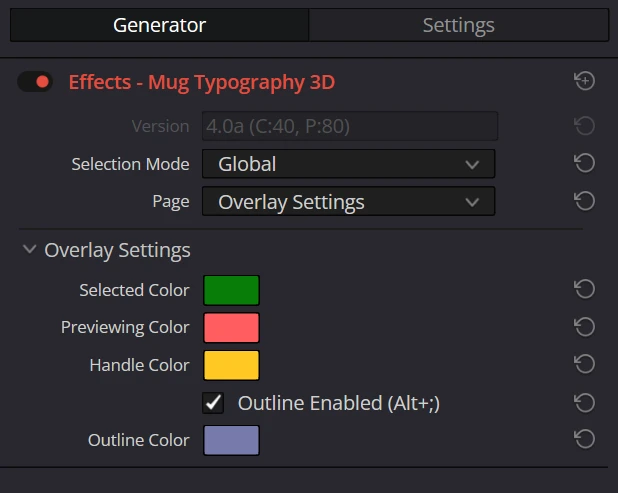
Parameters
| Parameter | Description | Default |
|---|---|---|
| Selected Color | The outline color of selected characters and parts | Green#009400 (opacity 0.8) |
| Previewing Color | The color used during marquee selection, margin preview, and when a bounding box is outside the marquee | Red#ff5d60 |
| Handle Color | The color of move, rotation, and scale handles | Yellow#ffc822 |
| Outline Enabled | Toggles outline display ON / OFF. You can also toggle it by pressing WinAlt+;MacOption+; (semicolon) while the viewer has focus. | ON |
| Outline Color | The outline color of unselected characters and parts (enabled when Outline Enabled is ON) | Light Blue#aab0ff (opacity 0.6) |
ReferenceShow the full Inspector on this page