OUTPUT & COMPOSITING
Send every character into a different world
Extract only selected characters or parts over a transparent background and connect them to separate effects. Split one typography composition into as many as three streams for complete compositing freedom.
- Target characters and parts
- Up to three output streams
- Composite freely in Fusion
How It Works
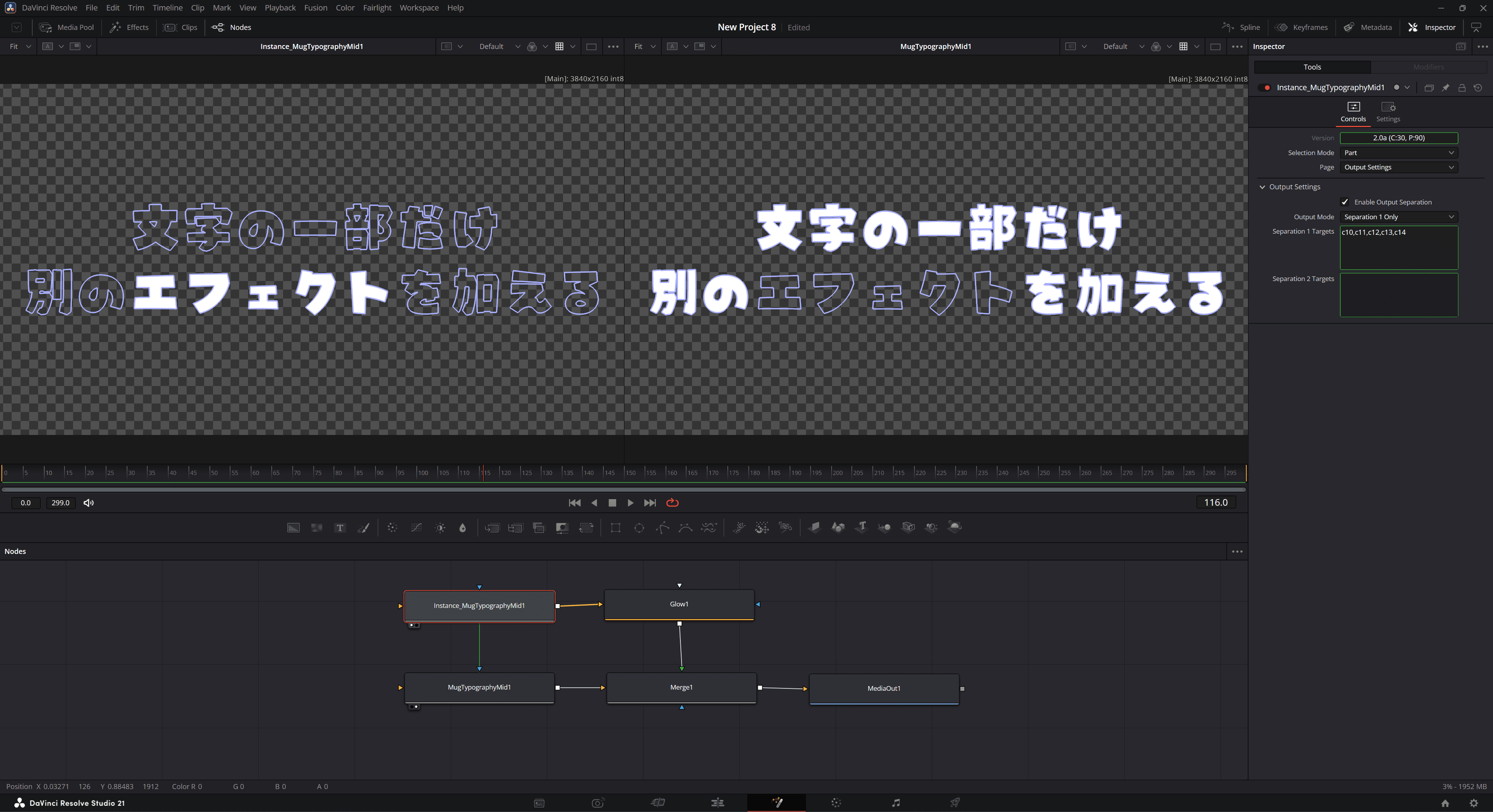
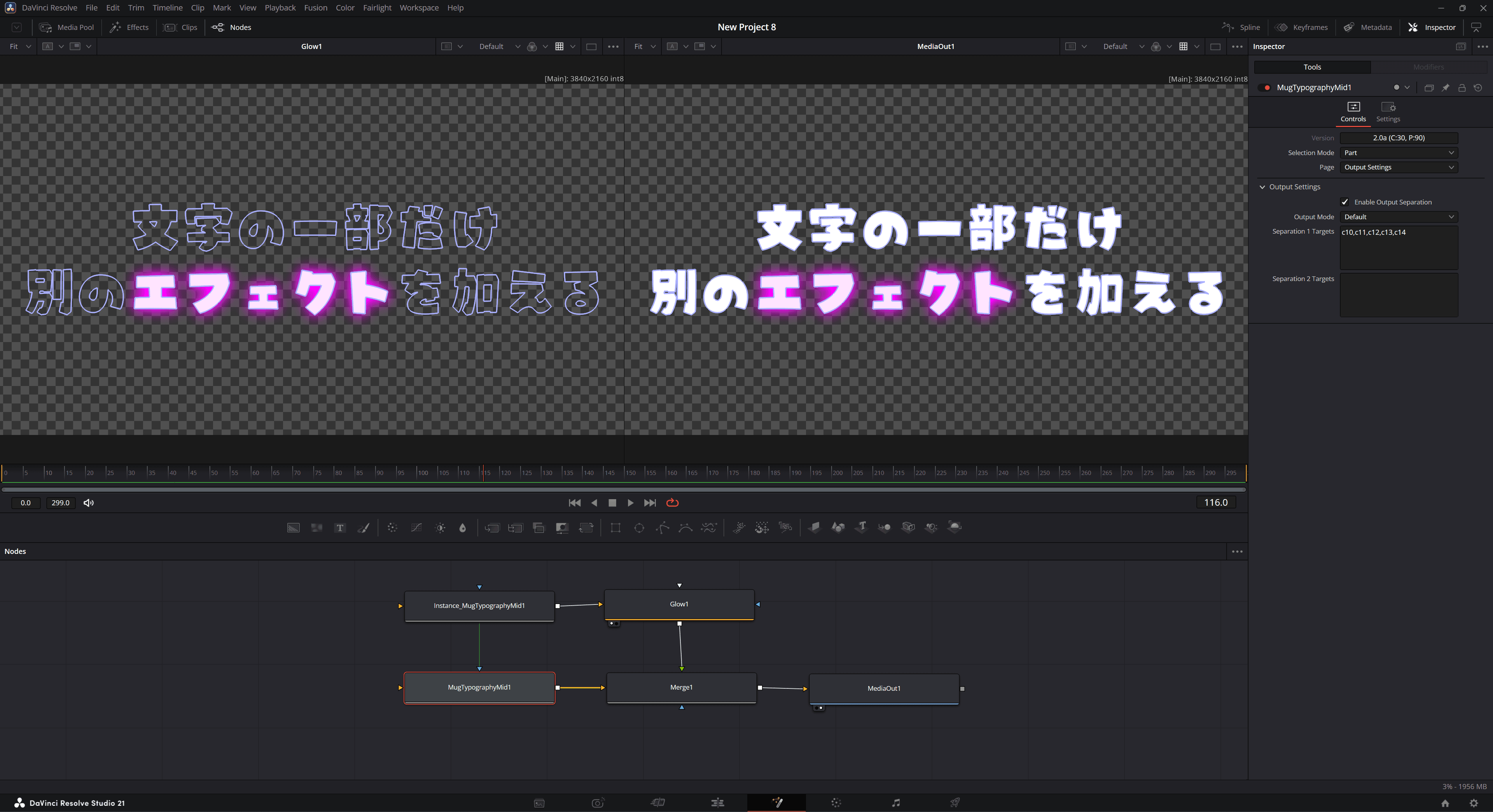
This feature does not add multiple output terminals to one instance. Instead, duplicate instances with the same settings and change each one's Output Mode to create the normal output and separated outputs.
| Output Mode | Rendered Content |
|---|---|
Default | Normal output excluding separated targets |
Separation 1 Only | Only targets included in Separation 1 Targets |
Separation 2 Only | Only targets included in Separation 2 Targets |
How to Use
Perform these steps in the node editor on the Fusion page:
- Set Page to
Output Settings. - Turn on Enable Output Separation.
- Enter the target to extract in Separation 1 Targets, for example
c2. - Copy the Mug Typography node, right-click an empty area of the node graph, and choose Paste Instance to duplicate it as an instance node (its settings and animation stay synchronized automatically).
- On the duplicate node, right-click Output Mode in the Inspector and choose
Deinstanceto unlink it, then set one node toDefaultand the other toSeparation 1 Only. - Add any effects you want to the separated output, then composite it with the normal output using a Merge node.
Writing Targets
Specify characters with c and parts with p. Numbers start at 1.
c2           # Character 2
c1-c3        # Characters 1 through 3
p1 p4 p7     # Parts 1, 4, and 7
c1 !p2       # Character 1, excluding part 2
NOTE
A blank Separation Targets field means "no targets." By contrast, a blank deformation Targets field means "all targets," so be mindful of the difference between pages.
Splitting into Up to Three Streams
Using Separation 1 and Separation 2 together lets you create up to three visual streams including the normal output. Create a duplicate for each Output Mode and composite them at the end.